A gift finder quiz for your online store: questions, examples and common mistakes
Updated on: November 20, 2026“What do I get my mom when she already has everything?” People who ask this usually don’t know which material, size or roast it should be. What they do know: who the gift is for, the occasion, how much they want to spend and maybe what the person enjoys doing.
A gift finder quiz (some call it a gift quiz) is a bit of shopping advice in your online store: it asks exactly these things and then shows the products that match. How good the advice is depends mostly on the questions. You write them yourself, because you know which products only look alike at first glance and what your customers buy them for.


What gift shoppers can answer and what they can’t
A good question in a gift finder quiz can be answered without knowing your products. People looking for a gift know the person they’re shopping for well, but usually know nothing about what you sell.
They can easily answer questions like these:
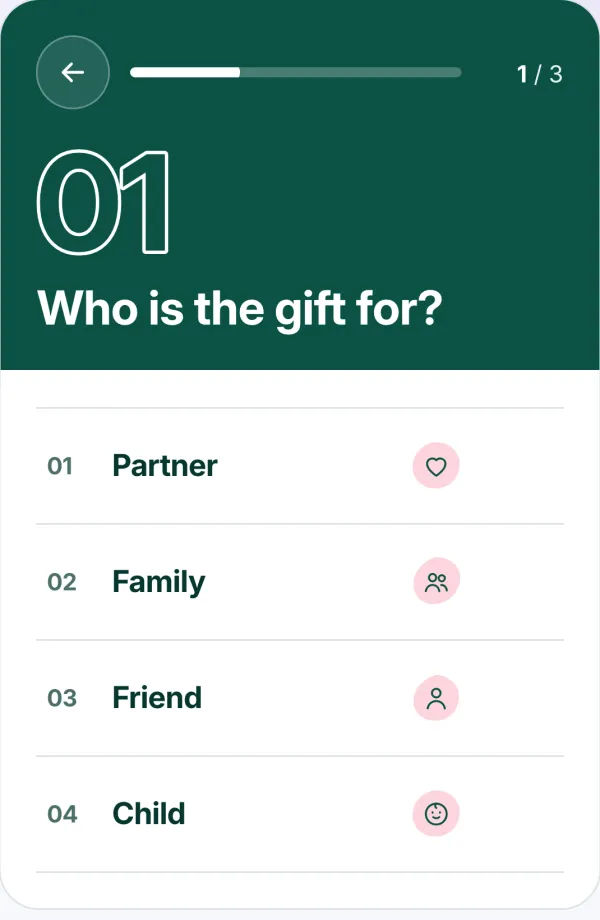
- Who is the gift for? (partner, family, friend, child, coworker)
- What’s the occasion? (birthday, Christmas, thank-you, just because)
- How much do I want to spend?
- What do they enjoy? (cooking, reading, being outdoors, treating themselves)
It gets tricky with anything only the person receiving the gift really knows: your mom’s skin type, a coworker’s favorite coffee, a friend’s ring size. You can still ask these questions, but always add the answer “I don’t know”.
Example questions for different kinds of shops
The examples ask about everyday life, not about product features. Someone who doesn’t know whether their mom prefers green or black tea usually knows when she drinks it. You decide which answer leads to which product. There are five questions for each kind of shop. Pick three, or four at most. The budget question is almost always one of them.
Tea
- When do they like to drink tea most?to wake up, on the sofa in the afternoon, to wind down in the evening, I don’t know
- How much time do they take for a cup?tea bag in and go, a short breather, a little ritual with a teapot, I don’t know
- How adventurous are they with new flavors?likes the classics, enjoys trying something new, the more unusual the better, I don’t know
- How do they take their tea?always plain, a spoonful of honey is a must, with milk and sugar, I don’t know
- How much would you like to spend?tiers that match your prices
Toys
- How old is the child?0–2, 3–5, 6–9, 10 and up
- What do they do on a rainy afternoon?build forts and towers, draw and make crafts, put on little plays, run around the house
- How much room is left in their bedroom?hardly any, one shelf is free, plenty, I don’t know
- Who do they like playing with most?alone in their own world, with brothers and sisters, with the whole family at the table, I don’t know
- How much would you like to spend?tiers that match your prices
Jewelry
- What jewelry do they wear these days?hardly ever any jewelry, the same favorite piece every day, lots of bold pieces, I don’t know
- Gold or silver: which do you see on them more often?mostly gold, mostly silver, both, I don’t know
- When will they wear it?every day, on special occasions, I don’t know
- Do they have pierced ears?yes, no, I don’t know
- How much would you like to spend?tiers that match your prices
Beauty
- What does their bathroom shelf look like?almost empty, a few favorite products, packed full, I don’t know
- How long do they spend in the bathroom in the morning?five minutes, a quarter of an hour, as long as it takes, I don’t know
- Do you notice their perfume before you see them?yes, it’s subtle, they don’t wear perfume, I don’t know
- What should the gift be for them?a break from everyday life, a little luxury, something they really need
- How much would you like to spend?tiers that match your prices
Wine
- How much do they know about wine?enjoys a glass but doesn’t geek out about it, has a favorite wine, has their own wine cellar, I don’t know
- What’s often on their table?pasta and pizza, fish and salad, roasts and cheese, I don’t know
- When will the bottle probably be opened?the same evening, someday for a special occasion, I don’t know
- What do they drink when it’s not wine?a cold beer, cocktails, a juice spritzer, it’s pretty much always wine
- How much would you like to spend?tiers that match your prices
Kitchenware
- What happens when they have guests over?they cook a full menu, they fire up the grill, there’s homemade cake, they order pizza
- What do they cook when it has to be quick?pasta with whatever’s there, scrambled eggs, they’d rather order in, quick isn’t their thing
- What does their kitchen look like?fully equipped, small and practical, they’ve just moved in
- Who does the dishes afterward?the dishwasher, they wash up by hand, I don’t know
- How much would you like to spend?tiers that match your prices
For toys, the child’s age replaces “Who is it for?” For wine, the food tells you more than any grape variety. The examples are meant to be adapted.
How to set up a quiz like this with our Product Quiz app is explained further down.
Common mistakes
Jargon in the answers
“Light, medium, full-bodied” makes sense to people who drink wine themselves. Everyone else picks something at random or gives up.
Better: Ask about everyday life, for example “What’s often on their table?”
No “I don’t know”
Without this answer, people guess. The result then fits their guess, but not necessarily the person who gets the gift.
Better: Offer “I don’t know” for every question that gift shoppers can’t answer for sure.
Budget tiers that don’t fit your prices
If almost everything you sell costs between €30 and €50, tiers like “under €25, €25–75, over €75” put nearly all your products in the middle one.
Better: Set the limits so that every tier has several products, here for example “under €35, €35–45, over €45”.
Too many questions
With every extra question, a few more people drop out before they see a result.
Better: Three, four at most. If you can’t link it to products, you don’t need the question.
Never tested it yourself
Otherwise a wrongly linked answer or a gap in what you sell only shows up when customers hit a dead end.
Better: Click through the common combinations once, for example “child, Christmas, under €25”.
The quiz is hard to find
If it sits at the very bottom of your home page or on a page nothing links to, hardly anyone gets to it.
Better: In December, place it near the top of your home page or above your gift ideas collection, plus a link in the announcement bar.
Creating a gift finder quiz with our product quiz app
With our Product Quiz app, you set up your gift finder quiz in four steps. All settings are explained in detail in the manual.
-
Pick a template or create a quiz
On the Pro plan (paid, 7-day free trial), go to “Templates”, choose “Gift finder” and click “Use template”. The questions, answers and texts are already there: who it’s for, the occasion and the budget. On the Free plan, you create a new quiz and write the questions yourself, for example with the cards above.
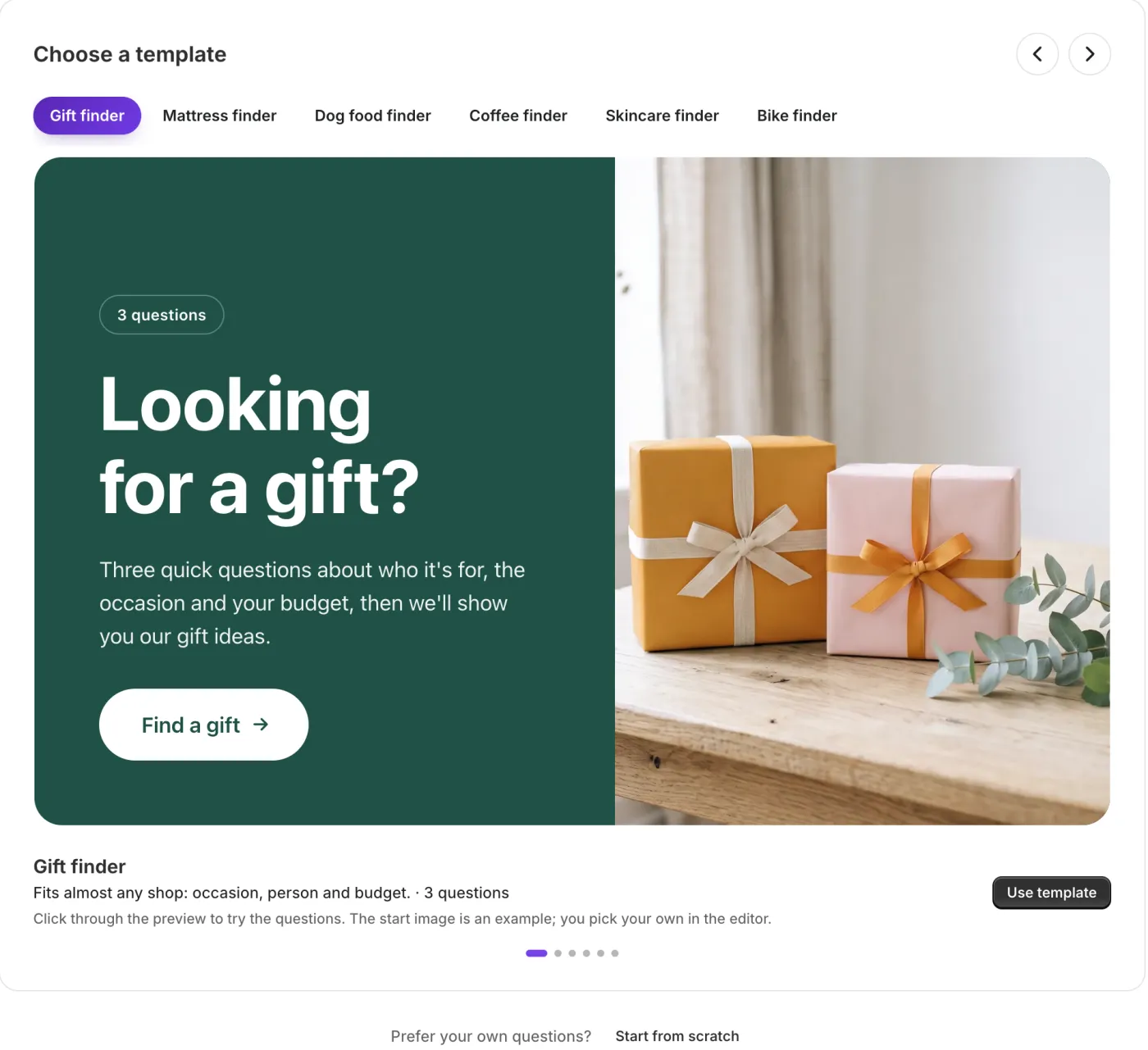
The “Gift finder” template in the admin: three questions about who it’s for, the occasion and the budget. -
Link answers to products
For each answer, use “Link products” to choose the products that match it. The quiz then ranks products by how many answers they match.
- A product can match several answers. A candle works for a partner, family and a friend.
- An answer without products counts as “doesn’t matter” and doesn’t change the order. That’s exactly how “I don’t know” works.
- For the budget question, turn on “Must match”. Products outside the budget are then left out completely instead of just ranking lower. You assign the price tiers yourself, because the quiz doesn’t read your prices.
-
Click through it yourself
Next to the questions, the editor shows a live preview. Use it to try the combinations that come up a lot in December. If one of them doesn’t lead to anything useful, a link or a matching product is missing.
-
Add it to your store
On the app’s Help page, “Open theme editor” opens the theme editor with the “Product quiz” block on your home page. Select your quiz in the block and save. In December, it works well on your home page, above your gift ideas collection or on a page of its own that you link in the announcement bar.
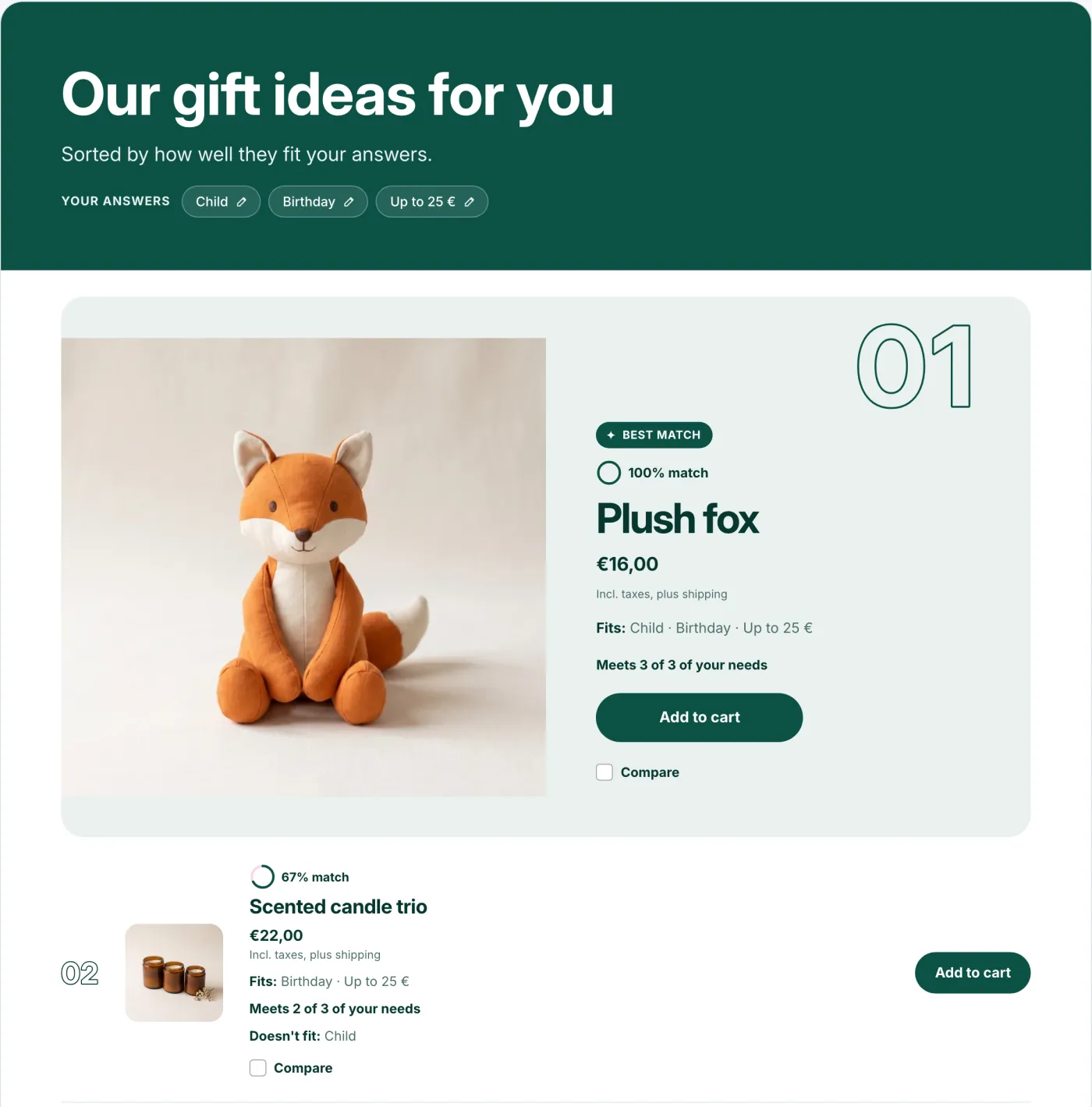
This is what the result looks like: the matching products show which answers they fit. When products match equally well, available products come before sold-out ones. If any product is available, one of them takes the first spot.
A gift finder quiz for the whole year
A gift finder quiz doesn’t have to disappear in January. There are birthdays all year round. Often it’s enough to remove “Christmas” from the occasion question. Then the quiz can simply stay where it is, for example above your gift ideas collection.
For the next occasions, it’s worth making a copy and adapting it:
- Valentine’s Day: You can drop “Who is it for?”, since it’s about a partner. Ask “How long have you been together?” instead (newly in love, a few years, feels like forever): after three weeks, a different gift fits than after twenty years. Or “What do you two like doing most together?” (the couch and a good show, getting out into nature, eating well, traveling).
- Mother’s Day and Father’s Day: Who it’s for is clear here, too. Ask “What does your mom do on a free Sunday?” instead, and “your dad” in the copy for Father’s Day. Just as good: “How much time does she have for herself right now?” (hardly any with the kids still little, finally more again, plenty since she retired).
- Easter: Mostly for children, so start with their age, as with toys. Then: “What should be left from the Easter Bunny once the chocolate is gone?” (something to play with, something for outdoors, a book).
- Back to school: The age is a given. More important is “What does the child like doing most after school?” (running around outside, drawing and crafts, reading, meeting up with friends).